Registration
Select your service:
GitHub Pages
1. Creating a GitHub Pages repo
On your existing GitHub repository, navigate to Settings > Pages.
Choose where to deploy the pages site from (usually main > root).
2. Creating the config file
Create a JSON file in the subdomains folder of the repository with the name of your subdomain (ex. squair.json).
Inside of the JSON file, paste in the following text:
{
  "owner": {
    "contact": "email_or_other_contact_info"
  },
  "info": {
    "type": "CNAME",
    "content": "[urltoyourpageswebsite].github.io"
  }
}
Once you have replaced email_or_other_contact_info and [urltoyourpageswebsite], make a pull request.
3. Setting up the custom domain
After your pull request is merged, you need to set up the custom domain on your GitHub repo.
Go to your repository settings > Pages > Custom Domain. Set the domain name to [YourSubdomainName].kittycat.boo.
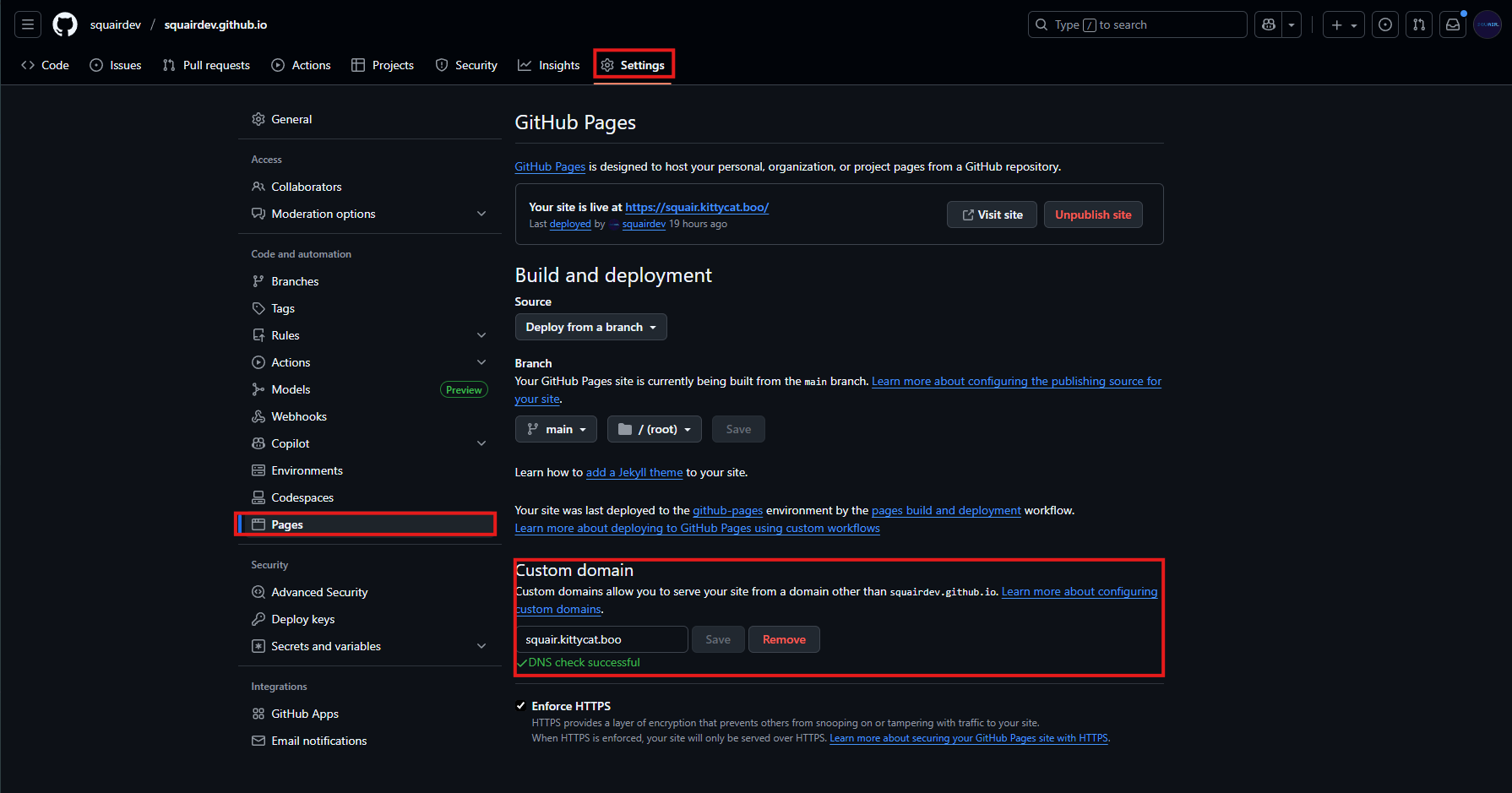
You may need to wait up to 24h for the domain to be verified.
Cloudflare Pages
1. Creating the config file
Create a JSON file in the subdomains folder of the repository with the name of your subdomain (ex. squair.json).
Inside of the JSON file, paste in the following text:
{
  "owner": {
    "contact": "email_or_other_contact_info"
  },
  "info": {
    "type": "CNAME",
    "content": "[urltoyourpageswebsite].pages.dev"
  }
}
Once you have replaced email_or_other_contact_info and [urltoyourpageswebsite], make a pull request.
3. Setting up the custom domain
After your pull request is merged, you need to set up the custom domain in your Pages settings.
Go to your Pages settings > Custom Domains. Add a new domain and set it to [YourSubdomainName].kittycat.boo.
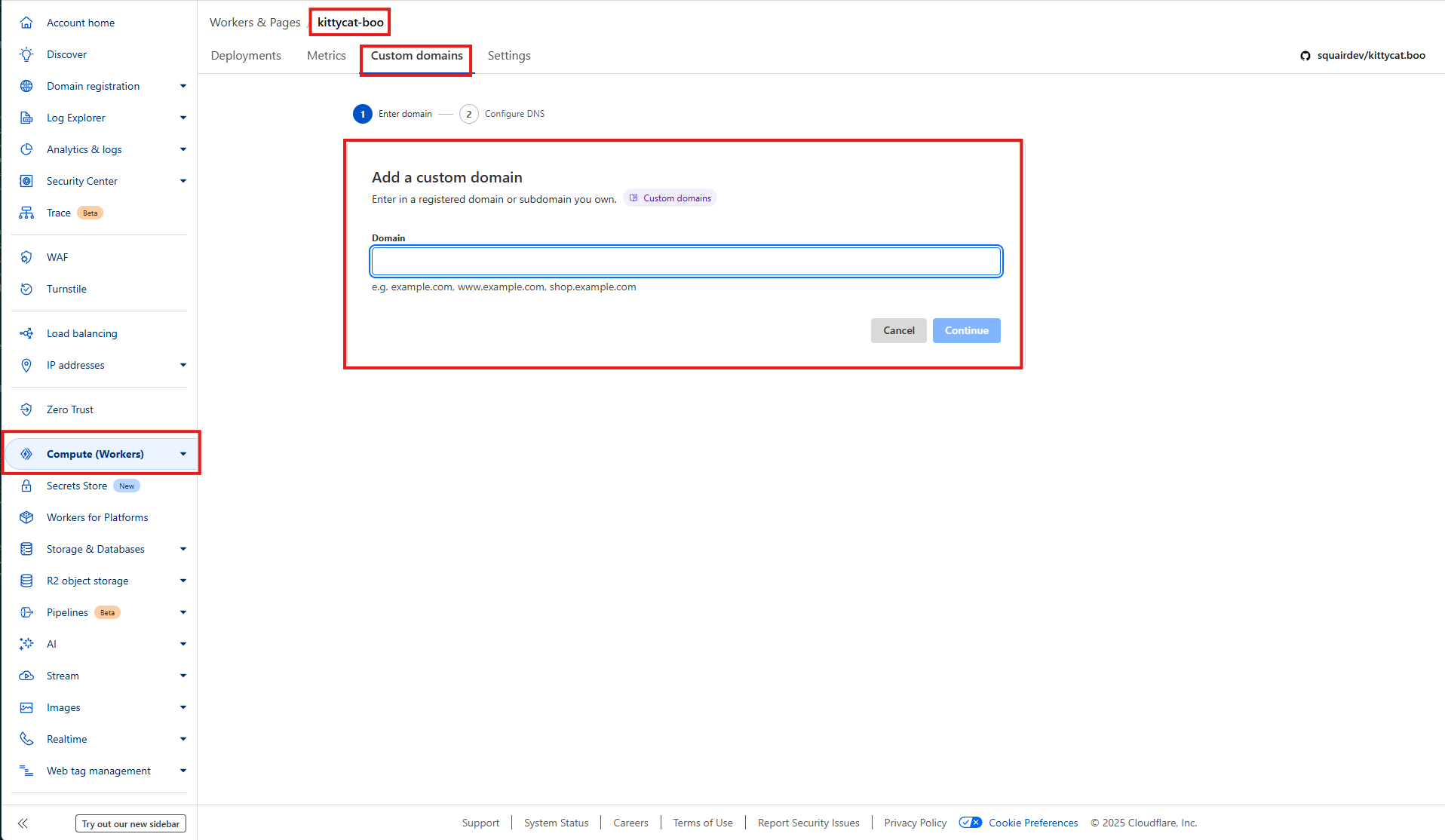
After clicking continue, click "My DNS provider" and then "Check DNS Records".
You may need to wait up to 24h for the domain to be verified.
Vercel
1. Adding the domain to Vercel
In your project's settings, go to the "Domains" tab and add your custom domain.
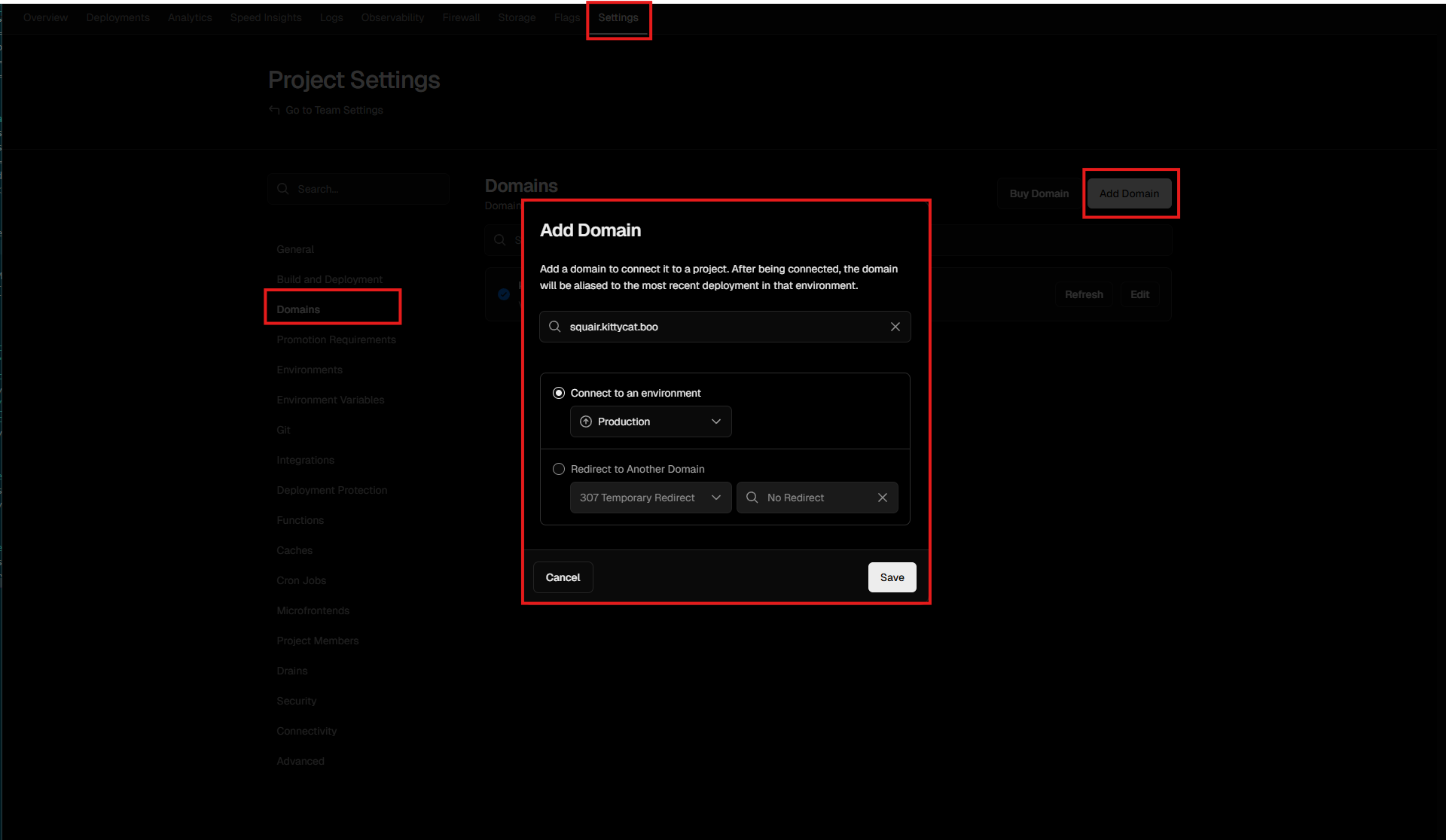
Click save.
2. Creating the config file
Create a JSON file in the subdomains folder of the repository with the name of your subdomain (ex. squair.json).
Inside of the JSON file, paste in the following text:
{
  "owner": {
    "contact": "email_or_other_contact_info"
  },
  "info": {
    "type": "CNAME",
    "content": "[longURLstring]"
  }
}
Once you have replaced email_or_other_contact_info and [longURLstring] (found in Vercel's domain settings), make a pull request.
You may need to wait up to 24h for the domain to be verified.
Discord Connections
1. Getting the TXT config from discord
In your Discord settings, go to the "Connections" tab and add a new domain connection with your subdomain.
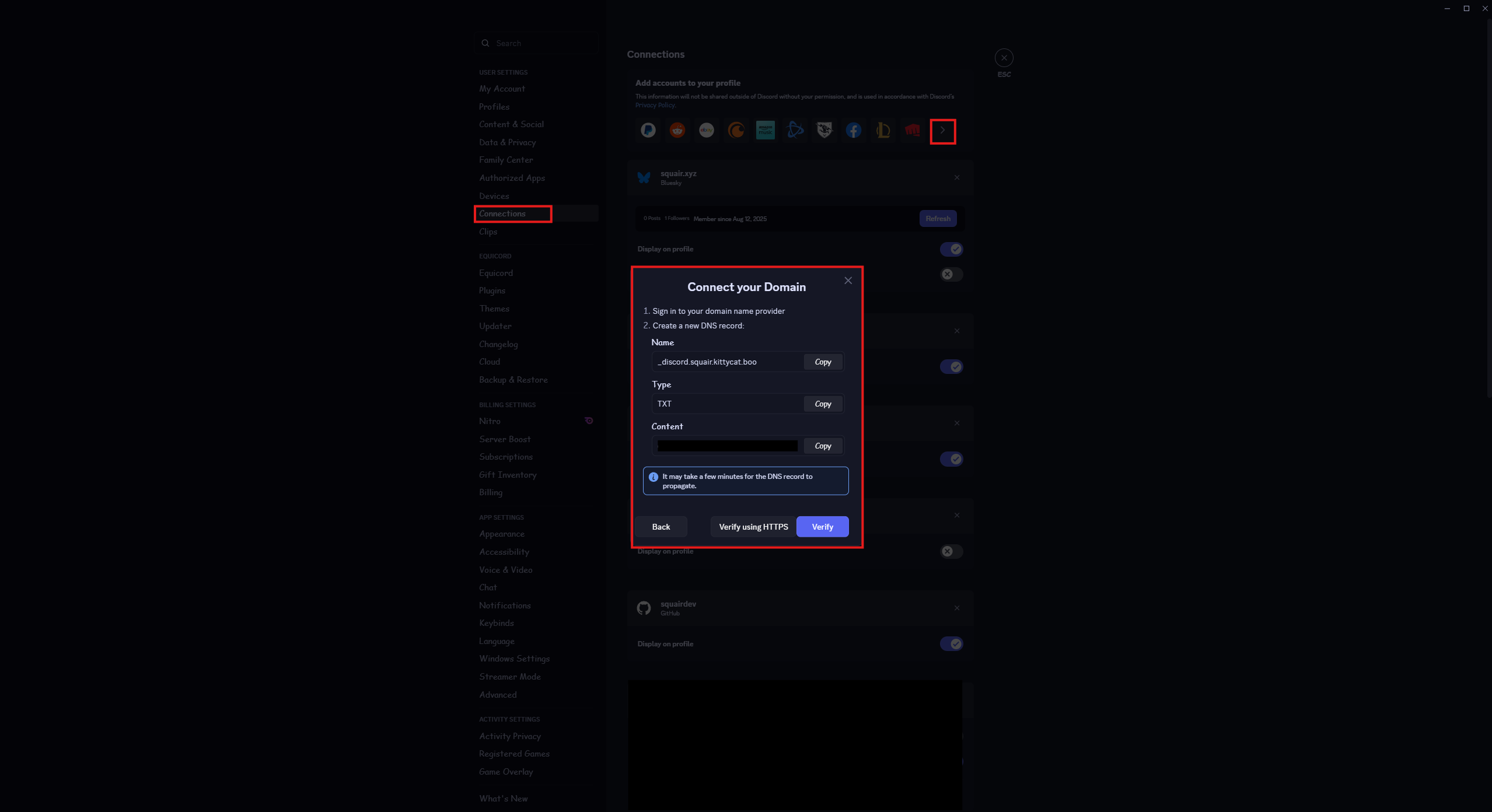
2. Creating the config file
Create a JSON file in the subdomains folder of the repository with _discord in front of your subdomain name (ex. _discord.squair.json).
Inside of the JSON file, paste in the following text:
{
  "owner": {
    "contact": "email_or_other_contact_info"
  },
  "info": {
    "type": "TXT",
    "content": "[longString]"
  }
}
Once you have replaced email_or_other_contact_info and [longString], make a pull request.
Click "Verify" in Discord. You may need to try again in a few hours.
Custom Domain
1. Creating the config file
Create a JSON file in the subdomains folder of the repository with the name of your subdomain (ex. squair.json).
Inside of the JSON file, paste in the following text:
{
  "owner": {
    "contact": "email_or_other_contact_info"
  },
  "info": {
    "type": "CNAME",
    "content": "[yourURL]"
  }
}
Once you have replaced email_or_other_contact_info and [yourURL] (your domain's url or IP), make a pull request.
2. Setting up the DNS record
In your DNS settings, link your subdomain [yourSubdomainName].kittycat.boo.
It varies how you do this depending what service you use. Open a issue or join the discord for help.
You may need to wait up to 24h for the domain to be verified.